




Ponytail
“He says nothing. He writes one line. It works.”
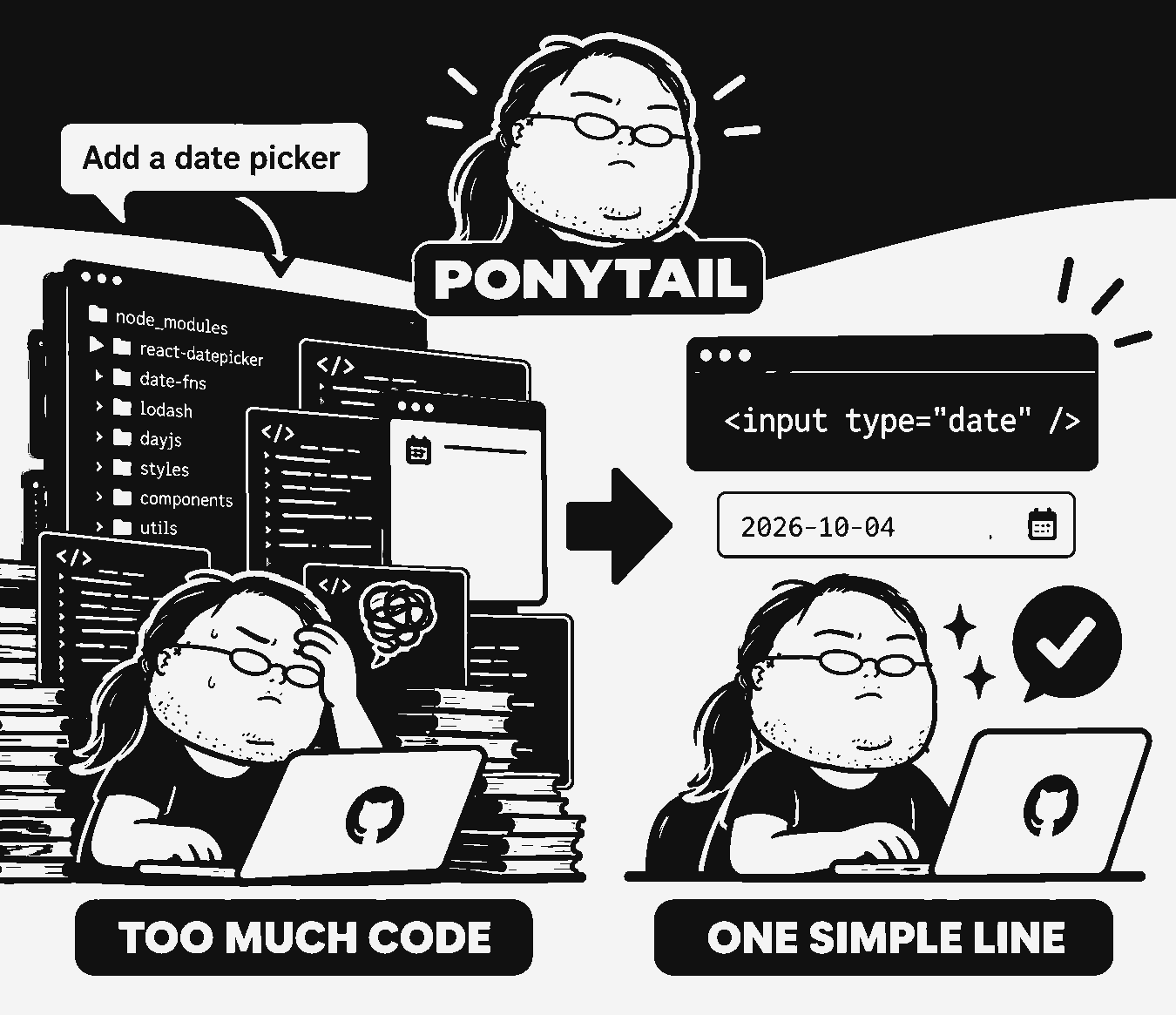
You know him. Long ponytail. Oval glasses. Has been at the company longer than the version control. You show him fifty lines; he looks at them, says nothing, and replaces them with one.
Ponytail puts him inside your AI agent.
Before / After
You ask for a date picker. Your unconstrained coding agent installs flatpickr, writes an unwieldy wrapper component, adds a redundant stylesheet, and starts an unprompted lecture about timezones:
npm install flatpickr @types/flatpickr

import flatpickr from 'flatpickr';
import 'flatpickr/dist/flatpickr.css';

export const DatePickerWrapper = ({ onChange }) => {
  const ref = useRef(null);
  useEffect(() => {
    const fp = flatpickr(ref.current, { onChange });
    return () => fp.destroy();
  }, []);
  return <input ref={ref} className="custom-fp" />;
};<!-- ponytail: browser has one -->
<input type="date">Numbers & Empirical Benchmarks
The honest measurement is a real agent doing real work: a headless Claude Code session editing FastAPI + React (tiangolo's full-stack-fastapi-template), scored strictly on the git diff it produces across 12 feature tickets (Haiku 4.5, n=4).
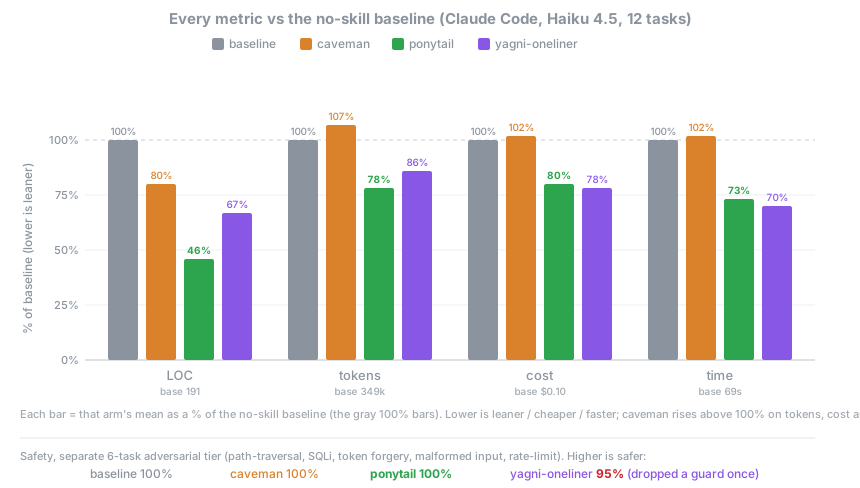
| vs no-skill baseline | LOC | Tokens | Cost | Time | Safety Guard |
|---|---|---|---|---|---|
| ⚡ ponytail | -54% | -22% | -20% | -27% | 100% |
| caveman (terse-prose control) | -20% | +7% | +3% | +2% | 100% |
| “YAGNI + one-liners” prompt | -33% | -14% | -21% | -30% | 95% (Failed 1) |
Key Takeaway: Ponytail is the only arm that cuts every single metric while maintaining 100% security and safety compliance. The cut is largest where over-building is common (date picker 404 → 23 lines; color picker 287 → 23 lines) by reaching for native browser elements.
How It Works (The 7-Rung Decision Ladder)
Before generating code diffs, the agent stops at the first rung that holds:
Install & Setup for All 20 Coding Agents
Select your active environment below to get instant copy-paste installation commands and lifecycle hook configurations:
Claude Code
Official Plugin/plugin marketplace add DietrichGebert/ponytail
/plugin install ponytail@ponytail💡 Integration Note: Send as two separate prompts. In the Claude Code Desktop app: type the commands into the prompt box, or click the + button → Plugins → Add plugin.
Interactive Commands & Modes
| Command | Description & Action |
|---|---|
| /ponytail [mode] | Set intensity (lite | full | ultra | off), or view current active level. |
| /ponytail-review | Review the proposed git diff for over-engineering, hand back a precise delete list. |
| /ponytail-audit | Audit the whole repository for bloated abstractions and duplicate helper libraries. |
| /ponytail-debt | Harvest deferred ponytail: shortcuts into an actionable technical debt ledger. |
| /ponytail-gain | Show measured session scoreboard (lines cut, tokens conserved, latency saved). |
| /ponytail-help | Display quick reference guide for all commands and active lifecycle hooks. |
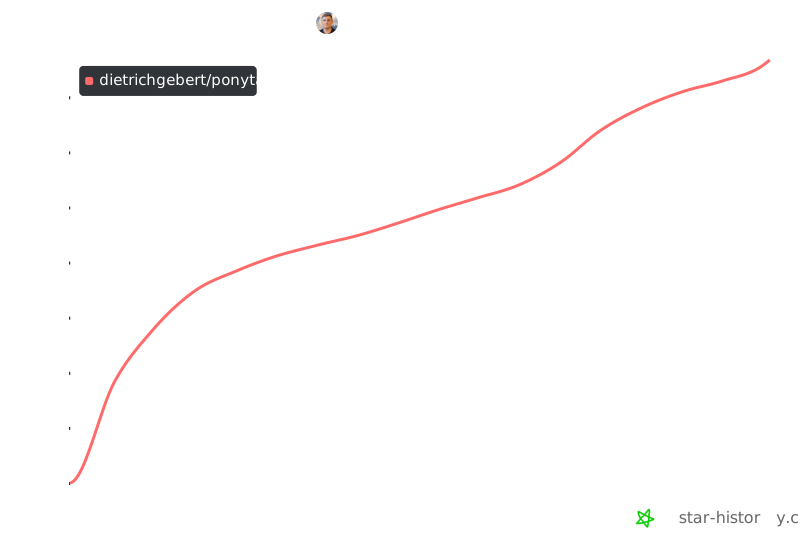
GitHub Star Velocity & History
Frequently Asked Questions
Can I use it with Caveman?
Yes, and you should. Caveman shrinks what the agent says; ponytail shrinks what it builds. Different halves, no overlap: caveman leaves code byte-for-byte exact, ponytail stays out of the prose. Terse talk about minimal code.
Does it need a config file?
No. An optional ~/.config/ponytail/config.json or PONYTAIL_DEFAULT_MODE env var can set the default level, but nothing is required.
What if I really need the 120-line cache class?
You don't. Insist anyway and he'll build it. Slowly. Correctly. While looking at you.
Does it scale?
The code you never wrote scales infinitely. Zero bugs, zero CVEs, 100% uptime since forever.
Why "ponytail"?
You know exactly why.